PRIVACY & SHARING
Handle privacy before you share.
HHOYU PRO performs field-level de-identification while building the shared copy. The original stays on device.
PRIVACY & SHARING
Run a privacy check before sharing, so case data stays under control.
A share copy, DICOM field cleanup and compression make cases easier to use for clinician-patient communication, peer discussion and teaching.
Open the case
Pick the study you want to share from the case library.
Choose the range
Select the images to include.
Privacy check
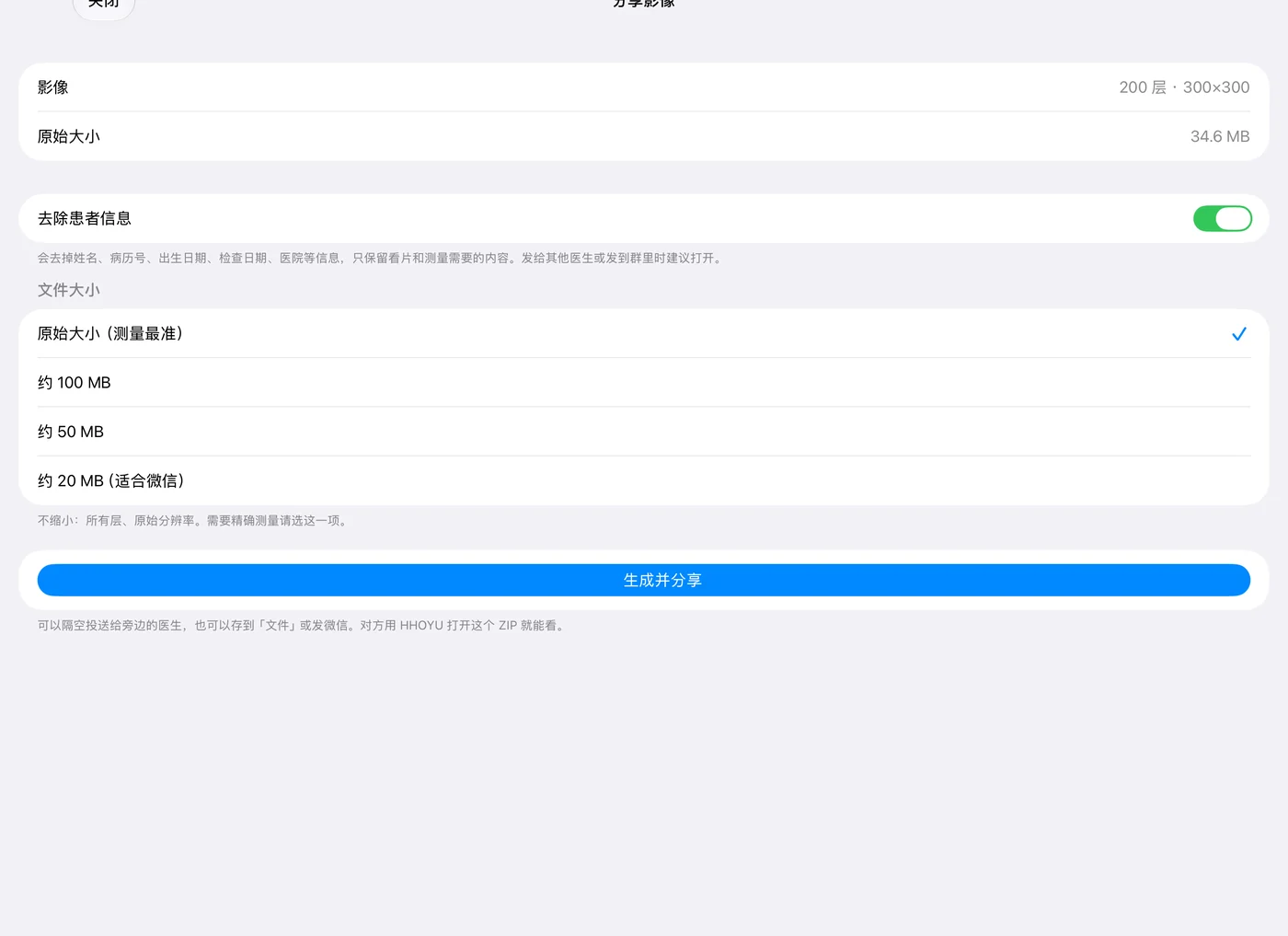
Turn on “Remove patient information” and keep only what viewing and measurement need.
Compress
Choose the original size or a compressed copy of about 100 / 50 / 20 MB.
Choose a channel
Create a ZIP, then send it through the system share sheet, AirDrop or a chat app; HHOYU does not relay it through a cloud.
Done
The shared file is a copy; the original stays untouched.
What does the privacy check actually change?
With de-identification on, HHOYU PRO rebuilds a DICOM share copy from a whitelist: the patient name becomes ANONYMOUS and the patient ID becomes a random number; birth date, study date, institution and study description are omitted; private tags and sequences (SQ) are dropped; study, series and image UIDs are regenerated.
- Keeps the geometry, grayscale mapping and pixel data needed for viewing and measurement
- The share copy is stored separately; the original case is not modified
- Does not remove text, annotations or overlays burned into the pixels
- Cannot guarantee privacy after a third-party tool processes the file again
- Once sent through AirDrop, chat apps or another system channel, transfer and retention follow that service
This is field-level de-identification, not full anonymisation, and it is not a compliance certification. Confirm the image content and the recipient before sharing externally.
Sharing and export
| Privacy check and compressed sharing | Available |
|---|---|
| Key image / 3D video export | Available |
Scope
What we can and cannot promise.
Stating the boundary is more useful than an absolute promise.
What it does
Removes common identity fields, drops private tags and sequences, generates new UID relationships for the copy, and leaves the original untouched.
What it does not do
It cannot remove text burned into pixels, nor prevent re-identification by third-party software using image features.
What you should do
Before sharing, confirm the image content, the recipient and the authorisation scope, and follow local regulations and institutional process.
Make the next CBCT a conversation that lands.
Download HHOYU PRO free and take the case to your patient, your peers and your class.
iPhone · iPad · Mac · Free on the App Store